Kanapa means couch in Polish. That is not a coincidence.
The problem
I like playing games on a TV.
With a controller.
From an actual couch.
What I do not like is alt-tabbing between Steam, Heroic, Epic leftovers, GOG leftovers, and whatever else decided to invent its own launcher this year.
Every store wants to be the living room.
None of them want to share it.
So you end up with five "libraries", three update dialogs, and one person on the sofa asking:
Can we just play something?
Just enough UI
Kanapa is a local couch UI for games I already own.
Steam.
Heroic (Epic / GOG / Amazon).
Prism Launcher instances, because Minecraft also lives on this machine.
It is not a store.
It is not a social network.
It is not trying to recommend me a battle pass.
It shows the library, lets me move around with a gamepad, and launches the real apps that already know how to start the game.
That last part matters.
A website on the public internet cannot open steam:// on your PC.
So Kanapa runs locally: Vue UI in front, a small Express bridge on the same machine, optionally wrapped in Electron when I want a proper desktop window.
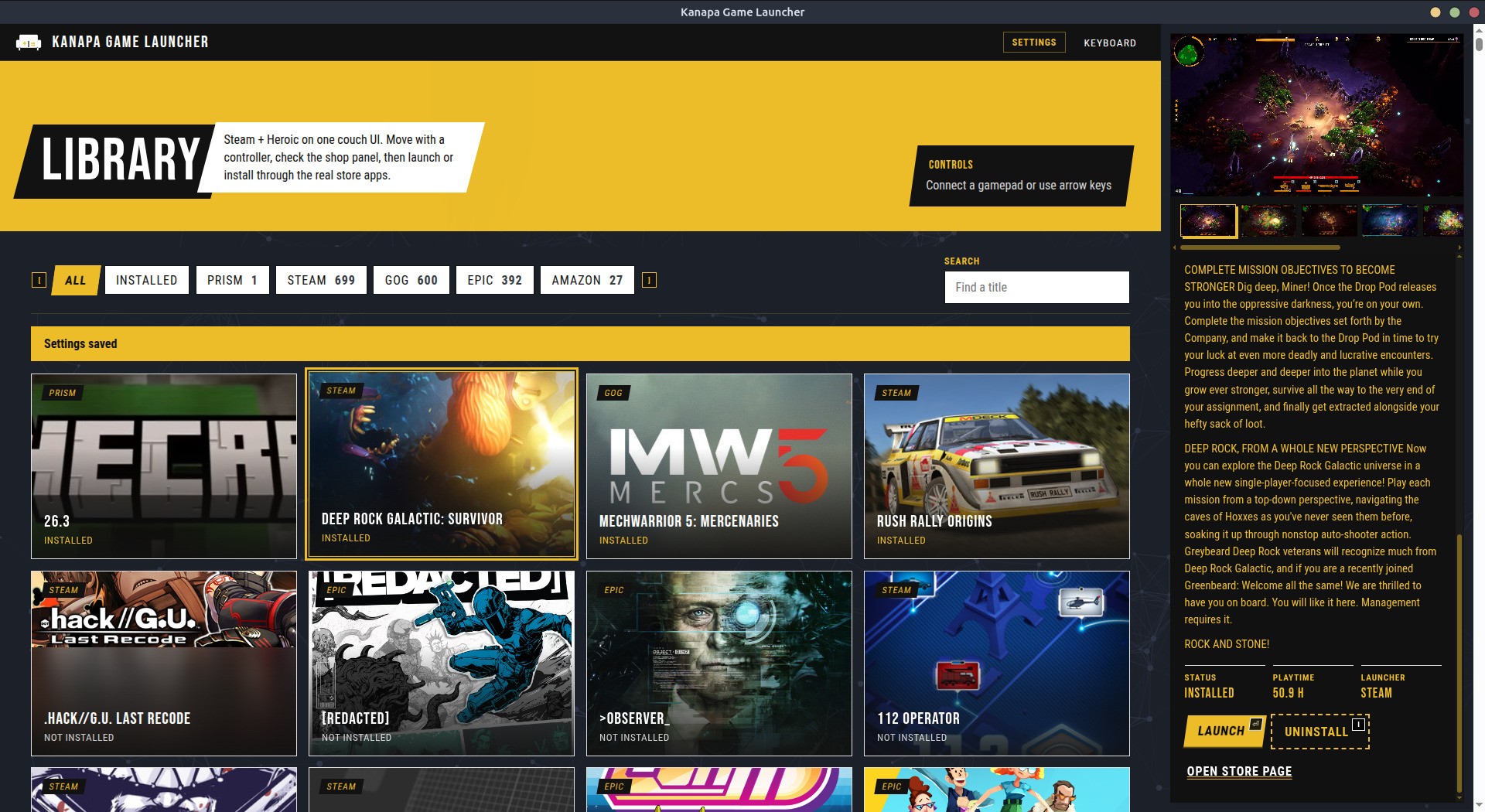
This is how it looks like in windowed mode
Digging into Heroic
Steam was the easy part.
Local manifests for installed games.
Web API key + Steam ID if I want the full owned library.
Store API for screenshots and descriptions.
Heroic was more interesting.
There is no nice public "give me my Epic library" endpoint that works the way I needed.
But Heroic already synced everything for me.
And Heroic, conveniently, keeps a pile of JSON under ~/.config/heroic.
Once I opened that folder, the shape of the problem changed from:
How do I talk to Epic / GOG?
to:
How do I read what Heroic already downloaded?
So Kanapa just reads Heroic's cache.
Epic from store_cache/legendary_library.json.
GOG from store_cache/gog_library.json.
Amazon from store_cache/nile_library.json.
Installed state from Legendary / GOG / Nile installed.json files next to them.
Covers, titles, install paths, runners - already there.
Launching is mostly heroic://launch/<runner>/<id>.
Installing was the awkward bit.
Heroic's protocol install flow was unreliable for me, so Kanapa bypasses that and talks to the same tools Heroic uses under the hood: Legendary for Epic, gogdl for GOG, with Heroic's existing auth + default install path.
No store passwords in Kanapa.
No reinventing login.
Just reuse the local state that was already sitting on disk.
This is my favorite kind of integration.
Slightly rude.
Very effective.
When store data is not enough
The shop sidebar wants screenshots and a description.
Steam usually has that.
Heroic sometimes has a short blurb and a cover, then goes quiet.
Some titles look like empty product pages with one lonely image.
That is annoying on a couch UI.
You select a game, expect a little "shop" moment, and get almost nothing.
So if the details are too thin - fewer than a few screenshots, or a description that is basically a shrug - Kanapa tries to enrich them.
First, for non-Steam games, it searches the Steam store by title and borrows screenshots / copy when there is a clear match.
If that still is not enough, it falls back to Wikipedia.
It looks for the (video game) page, pulls the summary text, and grabs useful images that are not logos, icons, or wiki meta.
If Wikipedia helped, the sidebar also links back to the article.
It is not perfect.
Matching by title is always a little cursed.
But for a local launcher, "good enough art and a paragraph" beats "blank panel with the word Epic on it".
Why not just Steam Big Picture?
Because Steam Big Picture is great at Steam games.
And terrible at pretending my Epic / GOG library does not exist.
I already use Heroic for that side of things.
I just did not want Heroic, Steam, and a mouse pointer fighting for attention while I am holding a DualSense.
Kanapa is the remote.
Steam and Heroic are still the engines.
Couch-first controls
Left stick moves the grid.
A launches.
Y installs or uninstalls when that makes sense.
Shoulder buttons change filters.
Right stick scrolls the shop sidebar.
D-pad flips screenshots.
Keyboard still works, because sometimes I am at the desk like a normal person.
Also when a game is running, Kanapa stops listening to the gamepad - turns out the Gamepad Web API does not care that your window lost focus - it will happily keep launching random titles in the background while you are mid-boss-fight 🙃 (but it was a fun bug).
Themes, because of course
There is a theme setting now.
Default is the original Kanapa gold.
Blue looks a bit PS5.
Green looks a bit Xbox.
Red looks a bit Switch.
Is this necessary?
No.
Did I enjoy it?
Yes.
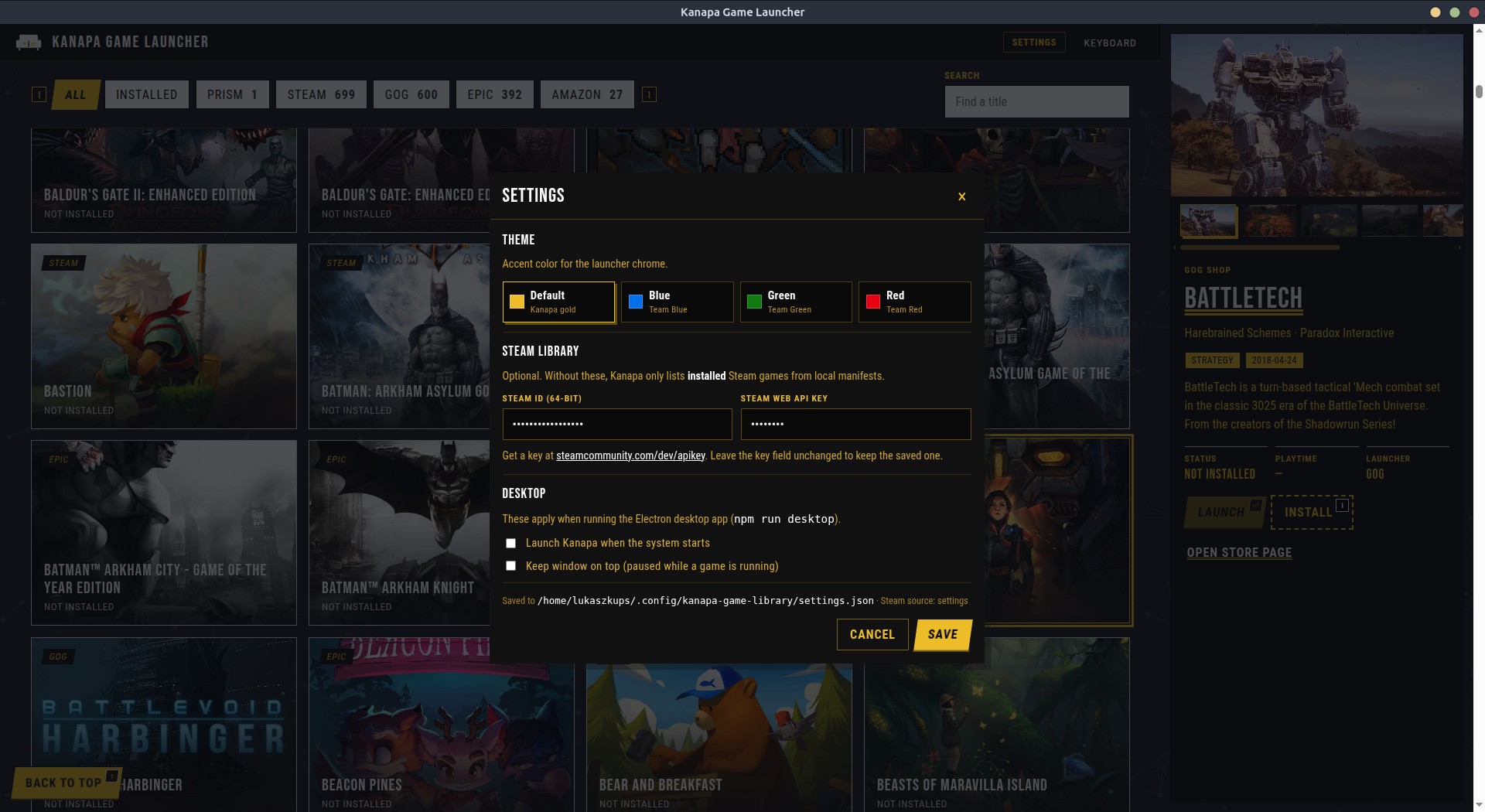
Yay! Themes!
What it is not
It will not sync achievements to the cloud.
It will not replace Steam.
It will not ask for your store passwords.
Steam Web API key + Steam ID if you want the full owned library.
Heroic's existing logins for Epic / GOG.
Everything stays on your machine, which is the whole point.
Why I built it
Because I was tired of treating my living room like a desktop workflow.
Because "just use one store" is advice from people who do not own games across three ecosystems.
Because a launcher should feel like furniture, not like another app fighting for engagement.
And honestly?
Because naming a game launcher after a couch is funny, and sometimes that is enough reason to start a side project.
If it helps one other person sit down, pick a game, and press A without opening five windows first - good.
If it only helps me - also good.
That is the sweet spot for this kind of software.
Best,
-- ł.